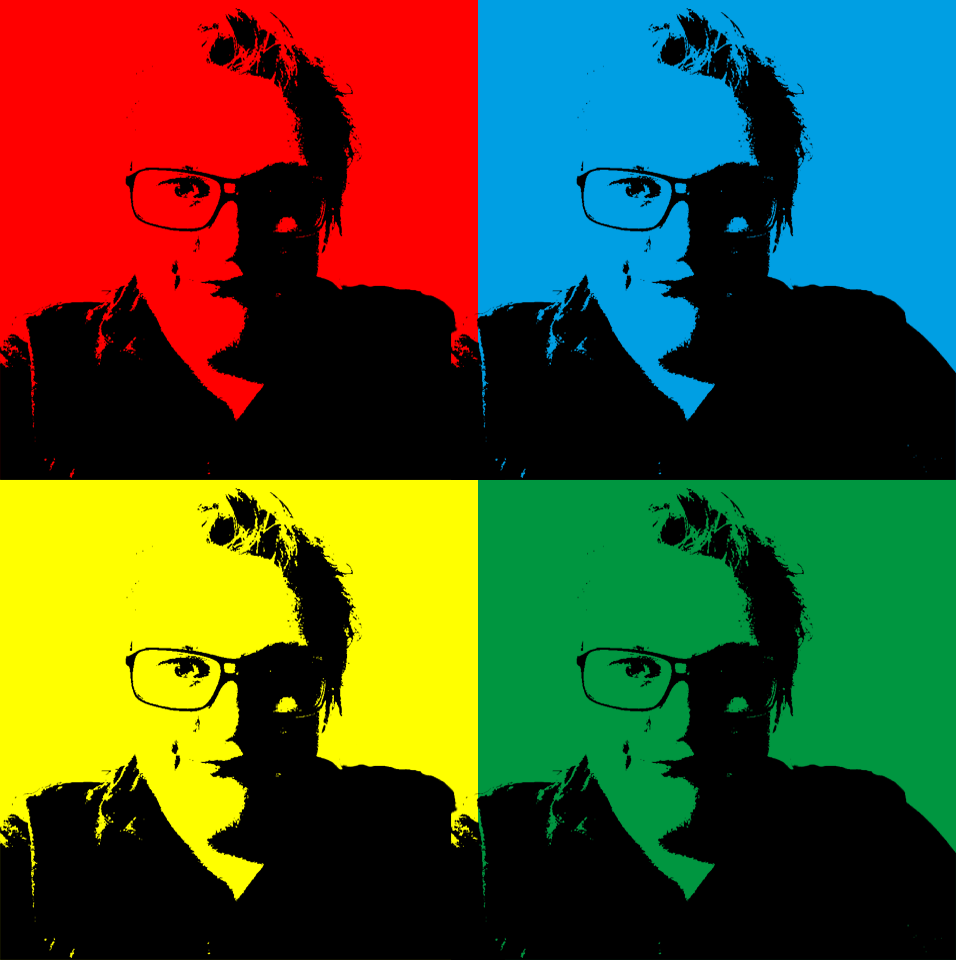
I am a 22 year old man who has been going back and forth on what he wants to do. I studied at Sam Eyde VGS with Media, but after that I turned to teaching to see if it was for me. I quickly found out it was not what I wanted, so I started working and had a break from my studies. After 1.5 years, me and my girlfriend started studying Multimedieteknologi og Design at UiA Grimstad. With many of the classes being a far reach from what we thought the study should be about, we quit that and now I am here at Noroff studying to be a Graphic Designer. I decided to go here because it is a place that focuses specifically on one thing and that is something I have been missing when going to other studies. There are things that interest me more than others, and when my girlfriend notet to me that this was an option of study, I jumped at it. I have always had an interest working with media stuff from video, photo, sound, graphic and others. This is one of those things to me that I would really like to get better and better at to such a point that I can be proud of the things I make (and maybe teach it on in the future).
I hope to use this to get a career of something that I think is amazing and fun at the same time as being fulfilling and worth every second of my time.
The Internet: The Internet is a global wide area network that connects computer systems across the world. It includes several high-bandwidth data lines that comprise the Internet «backbone.» And these lines are connected to major Internet hubs that distribute data to other locations. Locations such as ISPs and web servers.
HTML: Stands for «Hypertext Markup Language.» HTML is the language used to create webpages. «Hypertext» refers to the hyperlinks that an HTML page may contain. «Markup language» refers to the way tags are used to define the page layout and elements within the page.
Browser: Browser is an application used to access and view websites. Some browsers include Internet Explorer, Google Chrome, Mozilla Firefox, and Apple Safari.
Search Engine: Google and Yahoo for example are search engines. They index millions of sites on the Web, so that websurfers easily can find websites with the information we want. By creating large databases of websites (based on titles, keywords, and the text in the pages), search engines can locate relevant websites when users enter search terms or phrases.
Please research and add another 10 questions to the briefing process (see lecture).
What is the goal behind the website?
Can you describe your business with a few sentences?
Do you have a website already? If yes- why do you want it redesigned?
What does success look like to you?
Do you have a styleguide?
What information is most important to be relayed, for example on the homepage?
Do you have imagery?
What do you like about your current page?
What do you hate about your current page?
Do you plan to make changes after launch?
When do I start?
From this list of 20 questions (your 10 added to my 10), please create the ultimate list of 10 questions that you would use for clients.
Can you describe your business with a few sentences?
What kind of visitors are you expecting on your website?
What features should be used on your website?
Do you have a styleguide?
Who will be the contact person for this project?
What do you NOT want on your site in terms of text, content, color and graphic elements?
Do you plan on making changes after launch?
What is the goal behind the website?
What information is most important to be relayed, for example on the homepage?
Please list the names of three sites that you like, and explain what you like about them.
This LA made us choose the homepage of a website of our choosing and design three different designs that encapsulates a specific emotion or mood that we chose.
The webpage I chose was this:
The reason why I chose this page is because I found it easier to show emotion and feelings through the visual (in this case the pictures). The three versions of this page I made were this:
This is Joy: I made use of the yellow color that represents happiness, brightness and warmth, The dotted frame expresses playfulness, and the overall design is arranged in a simple, yet, playful way.
This is Romance: The light pink color is one that is associated with softness, caring. The curvy lines as well as the italic font used helps to create a soft romantic atmosphere especially when paired up with like-minded photos.
This is Trust: The color chosen for this is light-blue. Light-blue is often associated with structure and being organized. The straight line-dividers helps create a structured and professional look that makes you think that you always know what you are getting into. By placing the customer quote on the very top of the page you get a sensation of comfort and trust.
This LA was very easy with us only having to get our own domain to use throughout the studies and maybe after. I used One.com as recommended by our teachers and made Eisoworks.no.
For the assignment to find differences in an online magazine and a printed one- I have taken upon me to discuss the differences of the same brand: Otaku USA.
This brand is both digital and physical, exactly the same people yet totally different layouts and gives off different «vibes» when they are read. First off- the online magazine; It is simple, easy to maneuver around which is great for people not that technically competent. Its colors are mostly an eggshell white with some red and blue, which is pretty simple also. Not too intens colors, and certainly not too little. However- the feeling one gets whilst entering and browsing through this site, in my opinion at least, is that this is just a boring newsarticle site. Nothing scoops the attention up in any big way but of course it does what its supposed to do- convey its stories in a simple way. On the other hand there is the physical magazine. This one is a treat to see in both stores and your own hands- The articles and headlines are the same as the ones on the web-version, but it has alot of colors and images that compliment each and every page! It has a showcase of both text and images that just leaves you looking real good at the pages and actually wish to read them even if you didnt think you would. So the most noticable difference is- the web version is much- MUCH easier to maneuver around and simpler to find whatever you yourself wish to read without complications! But the physical magazine is so full of life- of surprises and interesting pictures and colors that it feels like its a whole other story just by the little more effort put into the overall design of it all. Whilst the web-version doesnt need to sell itself in a high manner- the magazine in physical form must do what it can design wise to catch the buyers attention! And thats what makes these two magazine types (at least in this scenario) so different.
This Learning Activity made us cut out different sizes and shapes out of black paper and the arrange them on a white landscape A4 paper to try and figure out the point of where the figure dissapears into the ground and find when it become unclear between them.
I came to the conclusion that the point of where the figure and ground becomes unclear depends largely on the amount of color that takes up the shapes. Also the brain will more easily know that the ground is the ground when the outlining shape is revealed (When you see the white A4 edges of the paper). When the black shapes becomes more consistent and more firm than that of the white paper, the distiction between the figure and ground become unclear.
This Learning Activity tasked us with making 5 landscape A4 pages with 4 equally large squares on each and then creating, with the use of either one or two squares of triangles (or combined) to create the following effects;
Entering Left Moving Left Moving Right Moving downwards Moving upwards Balance Tension Symmetry/Asymmetry
Here I made simple uses of directional tells by shifting the shapes to the desired sides, and then used the triangles as a arrow-head direction to tell the direction. (Done on both sides)With these I did the same thing I did for the «left» and «right» ones to achieve the same result.With Tension I de-aligned the shapes of the axises of the page and used the shapes with each other to create a visual tension. With balance (even though it can be very much like Symmetry) I used equal «weight» on the shapes below, and the same with the ones on top (but with two different shapes) to create a Balance.These are pretty standard uses of Symmetry/Asymmetry. I used the basic principal of mirroring shapes to create Symmetry, and with Asymmetry I made the same images only with slight offsets from where they would normally create Symmetry to create Asymmetry.Directional uses of triangles to show the direction path of the shapes. (From the left, going right)
This weeks Learning Activity ha dus get familiar with cameras. We were to read about them and take photos to get to know our camera and how to use it. The assignment was divided into two parts; Question 1 and 2.
Question 1: Explaining the functions and buttons on the front and back of my camera. Here I made two simple pictures naming the different function and buttons to simpler show all the names etc;
How to set the correct ISO:
To set the wanted ISO value when taking a
picture on my Canon EOS 1100D, what I have to do is press the ISO button on the
back of the camera. This is the top-facing arrow selection button right above
the Settings button. By clicking this I will get a menu up giving me a list of
ISO values to choose from. Then I simply choose what ISO value I want to use
for my picture and press Set.
How to change aperture:
To change the aperture on my Canon EOS 1100D,
I hold down the AV button in Manual mode and then use my control-dial, located
on the top right part of the camera. Determined by what way I now turn the dial
I will either increase or decrease my aperture.
How to change shutter speed:
To change the shutter speed on my Canon EOS
1100D, all I have to do is change my camera to Manual mode by using the
mode-dial and then turn the control dial on the right-top side of my camera. By
doing so my shutter speed will either increase or decrease.
Question 2:
Part 1:
This first part tasked us with doing multiple small tasks to give us a wider knwoledge on how to use our camera. These are the tasks.
Select the Proper White Balance:
Choose an object in open shade and take pictures with different White Balances, compare the results. These are my pictures;
Focus on Subject:
Photograph a person in Aperture Priority Mode (AV) and lens set to its widest aperture. Take several pictures with different methods and compare the results. See how sharp the yes are in each picture.
Get to Know Manual Focus Mode:
Get to know how to properly use the focus circle and how to get nice and sharp images.
Play With Picture Styles:
Pick one thing and take a picture of it for each of the six picture styles. See how each of the styles change color and tone.
Experiment with White Balance:
Shoot under a variety of different light settings and experiment with different white balance choices from AWB, preset and custom. See which one best showed the color for you.
From left to right: Custom, preset on artistic light and Auto. For me the auto in this case was the far surperior one. I might have taken a picture of each location with all three white balance settings, but that did not occur to me at the moment.
Monitor Exposure:
Go outside and shoot an object on different angles and see how the exposure changes as you move. These are my pictures for the task;
Explore your Lens:
If you have a lens that allows you to zoom in, use this to take a picture of an object and compare the results.
Task 2:
Take five picture every day and then choose the best six pictures and show them. Hand in the pictures and give the ISO, shutter speed and aperture info with them.
We had two mandatory parts of this weeks LA; they were parted by Question 1 and 2. The first question tasked us with picking three things from this weeks read about the history of photography and write a paragraph explaining the chosen ones a little further and with matching photos found on the internet. Question 2 made us pick a specific technique that spoke to us and write a report on it explaining the technique and how we thing it helped bring forward our modern version on photography.
Question 1:
Camera Obscura
It means “dark room” in Latin, also referred to
as Pinhole image, and is the natural optical phenomenon that occurs when an
image of a scene at the other side of a screen is projected through a small
hole in that screen as a reversed and inverted image on a surface opposite to
the opening. The surroundings had to be dark for the image to be clear enough,
so many historical camera obscura experiments were taken in dark rooms.
The term “camera obscura” was also used to refer to constructions or devices
that make use of the principle within a box, tent or room. Camera obscuras with
a lens in the opening have been in use since the second half of the 16th
century and became a popular aid within the arts of drawing and painting. The
camera obscura box was developed further into the photographic camera in the
first half of the 19th century when they were used to expose light
sensitive materials to project imagery.
The Camera obscura was also used to study eclipses without the risk of damaging the eyes by looking directly into the sun.
Daguerreotype
The
daguerreotype was the first commercially successful photographic process in the
history of photography. Its name given after its inventor Louis Jacques Mandé
Daguerre. Each daguerreotype is a unique image on a silvered copper plate.
In contrast to photographic paper, a daguerreotype isn’t flexible but rather
heavy. The type is accurate, detailed and sharp and has a mirror-like surface
and is very fragile. Since the metal plate is extremely vulnerable, most
daguerreotypes are presented in a special housing. Different types of housings
were an open model, folding case, jewelry etc.
Daguerreotypes were very expensive so only the wealthy afforded their portrait taken. Even though the portrait was the most popular subject, the daguerreotype was used to record many other images such as typographic and documentary subjects, antiquities and remarkable events.
Ambrotype
Ambrotype is a positive photograph on glass made by a variant of the wet plate collodion process. Like a print on paper, it is viewed by reflected light. Like the daguerreotype, which it replaced, and like the prints produced by a Polaroid camera, each is a unique original that could only be duplicated by using a camera to copy it. Ambrotype was based on the wet plate collodion process that was invented by Frederick Scott Archer. Ambrotypes were deliberately underexposed negatives made by that process and optimized for viewing as positives instead. Ambrotypes wasn’t at all as expensive to produce as daguerreotypes was, the medium that predominated when they were introduced, and did not have the bright mirror-like metallic surface that could make the daguerreotypes troublesome to view. An ambrotype, however, appeared dull and drab when compared with the brilliance of a well-made and properly viewed daguerreotype.
In this weeks Learning Activity my assignemt was as the name suggests; Colour Theory. It was divided into 3 parts in the form of *Questions* and some of them with more sub-tasks to perform.
Task 1: Explain the difference between RBG and CMYK followed by using Adobe Colour to make these colour schemes: The pictures are in order to as the names are.
Monochromatic
Complementary
Triadic
Analogous
Task 2: This part made us choose a picture of our choice and then apply these following effects to them: These pictures are in order just as the last task was.
Create a fluorescent duotone
Apply a monochrome look
Split toning of the image
Freestyle: Create a colour effect of your choice (I chose Sepia Tone)
Task 3: The last part was to choose between a number of given titles of a book and then make a design of the cover of said book with each its own special colors to deliver certain feelings etc. This is what I chose:
In the first part of the assignment, we were given the task to create a made-up word with a meaning, and then show the meaning through the word itself. My word: Boetic
In the next part we were to choose a number of words from a list and then express their meaning throughout the word itself, just as the first part. These are the ones I chose.
Here is the sum of my sketches on paper and inspiration for this LA.



 Eiriks Graphic Design Journey